Work · Case Studies

Built around the problem, not the template.

PixelWrench works across websites, apps and business technology systems for Los Angeles businesses and beyond. This portfolio is designed to show the thinking behind the work, what needed to change, and how the finished system supports the business.

01 / WEB

Website experiences

New websites, redesigns, booking flows, request systems and customer-facing experiences built to make the next action obvious.

02 / APP

App workflows

Customer portals, internal tools, scheduling systems and operational apps shaped around the way the business actually works.

03 / SYSTEMS

Business technology

Connected workflows, infrastructure and practical systems work that reduces friction behind the scenes and keeps the customer experience clean.

Selected work
Healthcare platform · Website + Staff/Admin App

HygieneConnect

A connected dental hygiene platform that links the patient booking experience with the staff and administrative workspace behind it.

Patient side

Practice website experience

Patients learn about services, choose care, book appointments, and move into intake. Blessing Smiles on the Go is shown here as one real practice implementation of the HygieneConnect workflow.
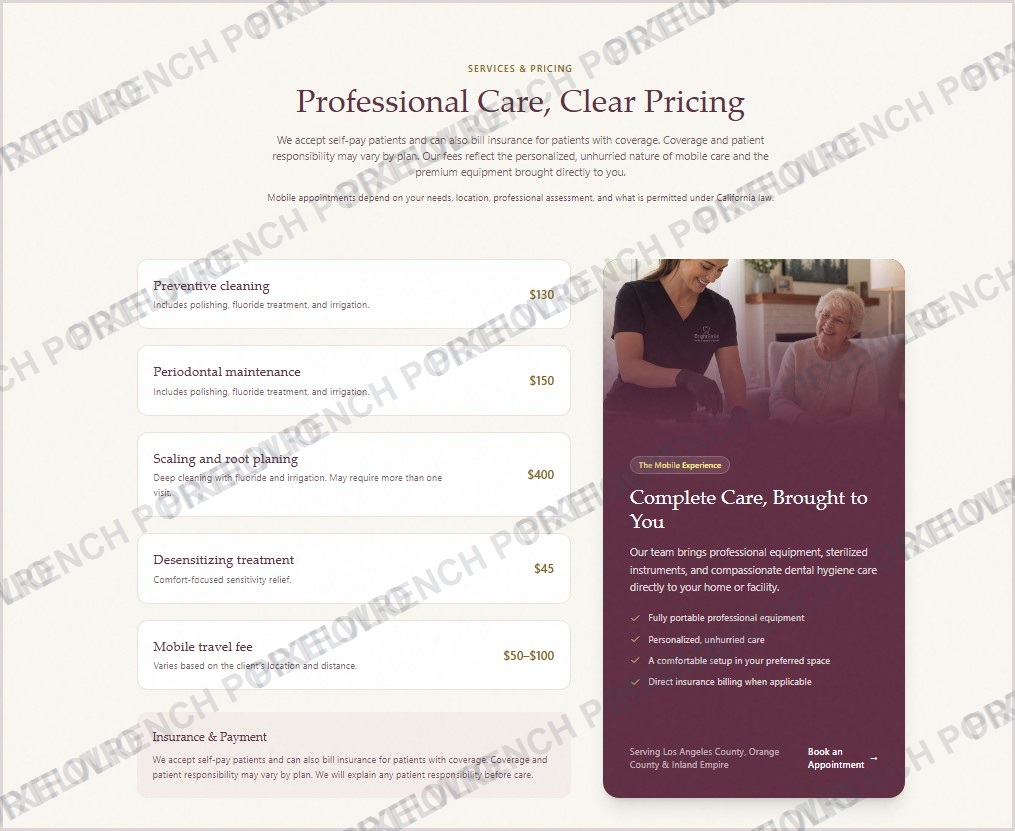
Blessing Smiles patient-facing services and pricing page
Practice implementation: Blessing Smiles on the Go
Staff side

HygieneConnect app

Staff review bookings, manage patients and appointments, track forms, work from the calendar, and handle practice operations from the connected app.
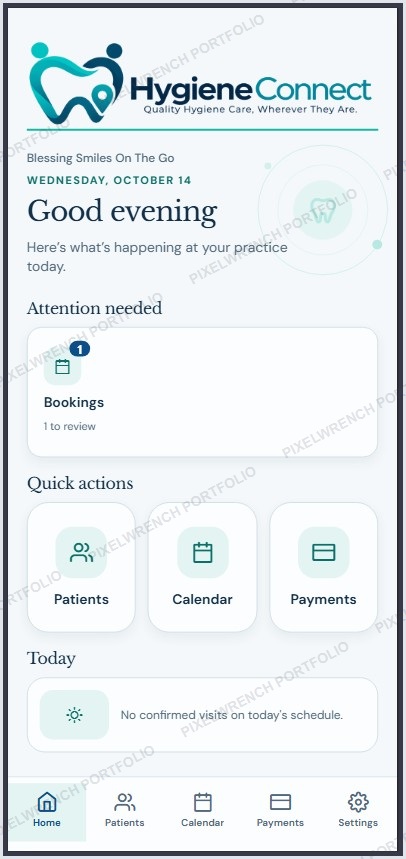
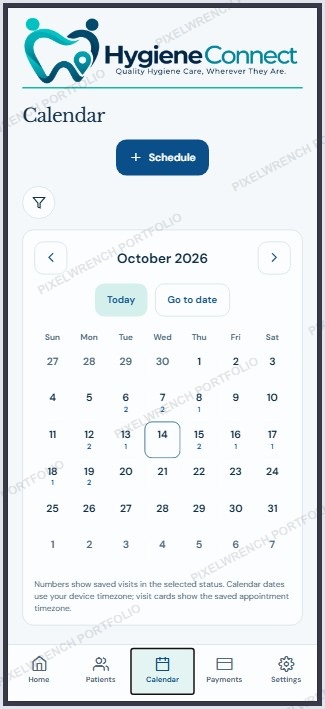
HygieneConnect staff dashboardHygieneConnect staff calendar

How the two sides connect

01 · PATIENT
Books from the practice websiteThe public experience captures the appointment request and patient-facing choices.
02 · PLATFORM
HygieneConnect carries the workflowBooking, intake status, scheduling rules, and practice context move through the shared platform.
03 · STAFF
Team manages it in the appAuthorized staff review the booking, calendar, forms status, patient record, and appointment actions.
HygieneConnect website connection administration screen
Behind the scenes

Practice connection and administration

This shows the infrastructure that connects a practice website to HygieneConnect, including practice credentials and scheduling configuration.

The challengeBring booking, patient intake, scheduling and practice workflows into a clearer end-to-end experience.
The approachDesign one platform with a simple patient side and a purpose-built staff side, while keeping practice workflows separated and manageable.
The buildBooking flows, intake forms, internal calendar workflows, practice administration, request handling, status visibility and customer communications.
The resultA connected workflow where patients can move from request to intake while staff manage the operational side from the same platform.
Production systems · Web + Infrastructure

Dental Ping

A production dental technology platform supported through infrastructure migration, hosting, deployment, domain and operational systems work designed to make the service easier to run and maintain.

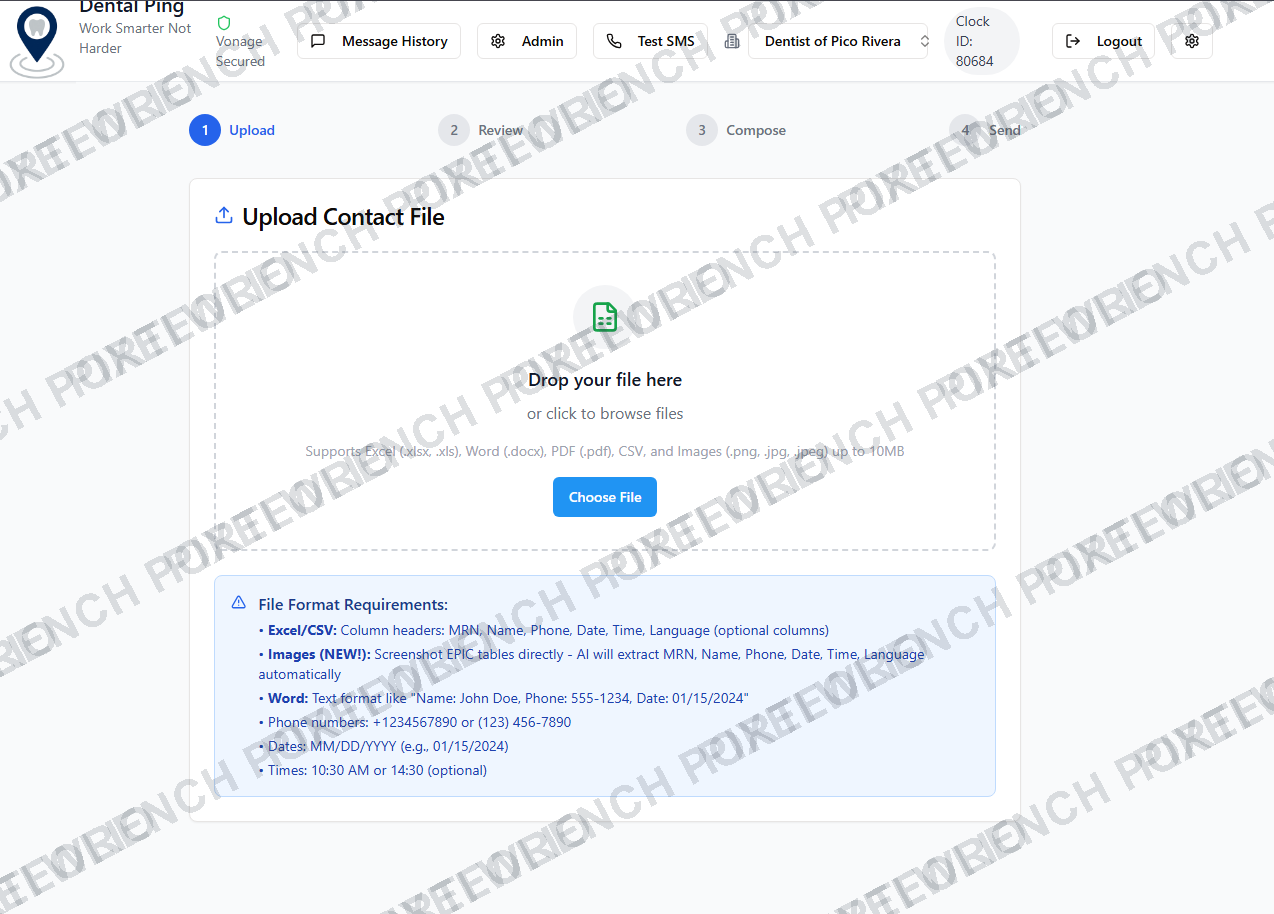
Dental Ping contact upload workflow
Contact upload and campaign workflow.
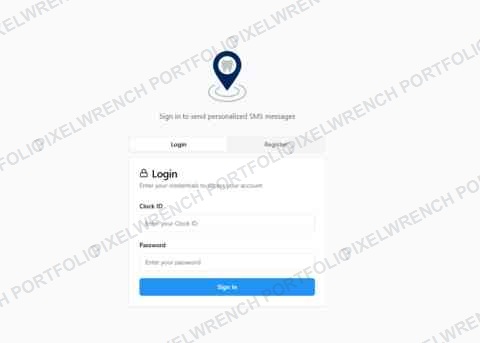
Dental Ping production sign-in
Secure production sign-in.
The challengeMove an existing production workload into a more controlled self-hosted environment without treating the migration as a simple file copy.
The approachSeparate application, infrastructure, domain and operational concerns so each part could be validated independently during the move.
The buildProduction hosting, environment staging, database migration planning, Cloudflare and domain work, secure access and operational verification.
The resultA production environment with clearer ownership, infrastructure visibility and a stronger foundation for continued product and data-quality work.

More project detail will be added as each case study matures.

PixelWrench keeps public case studies focused on the work itself. Private credentials, patient information, customer records and internal operational details are never part of the portfolio.

Start a project ↗
What each case study will cover

Enough detail to show the work.

The challengeWhat the business needed to fix, improve or create.
The approachHow the experience, workflow or technical structure was planned.
The buildThe important features, integrations and design decisions.
The resultWhat became easier, clearer, faster or more useful after launch.
